Archive for: music
Today finding the music you want, when you want it has been channeled to using sites like the Amazon store or iTunes. Sometimes, when looming for an obscure song that is not mainstream, you’d be lucky to find it. This frustrating experience paired with the perceived greedines of corporate music labels has forced many of us to find our music on peer to peer networks or bitorrent sites such the Pirate Bay.
Songbeat360.com is an amazingly innovative way of integrating a music player with a music search. Now you can listen to your favorite songs while searching for more. You are essentially still building your own station, much like Pandora or Last.fm, but on this music player you have the ability to download your music immediately.

Bypassing the need to go to the likes of Amazon or iTunes may please some, but does the pricing compare? Based on the site, the application is an Adobe Air app, and comes with 25 free credits. Credits are used when a search is done, and searches are supposedly capable of returning up to 500 results, ensuring you will fond what you need. For further credits, those can be purchased via a stored credit card. For $15 you receive 1000 credits for more music, which breaks down to a whole lot less than $.99 per song on the iTunes store. This is of course assuming you find what you want in one search.
Is the next revolution to your music search? I’d say know, but it’s definitely interesting. The pricing alone is attractive, and if the quality is the same, I can see this web app becoming extremely successful.
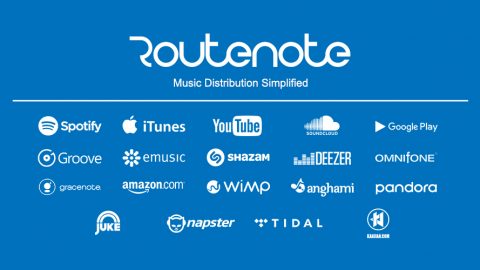
As the digital music market grows, there are more and more players entering the digital distribution market, getting artists music onto iTunes, E-music, Amazon MP3, Rhapsody and the other big online stores. These aggregators represent a variety of different models, ranging from The Orchard’s more traditional ‘intensively involved’ regime, where they take a hand in promoting their artists through a home-grown press network, but help themselves to a large chunk of the back end (think around 35%) of all sales of their partners’ music, to Tunecore’s flat-rate model, where they take a $0.99 a song, $0.99 a store per album fee, plus a $9.99 – $19.98 annual fee per release. Our favourite of the available digital music distribution products is provided by RouteNote; instead of charging up front or subscription fees to artists who may never make the sales to cover the charges, or gouging large lumps out of the back end profits (they take 10%, which seems pretty modest next to the Orchard’s slice).
Currently their model works out to be the cheapest route to market for artists selling less than 20,000 units online (tracks) annually, which is pretty much everyone starting out in the industry, plus they have a few tools and guides to facilitate artist self promotion. They’re still reasonably small (their artist roster is just over 1,500 at the moment) but we’re looking for them to grow quickly over the coming months, particularly if they get a little more press.
Disclosure: This article was written by Dashiel Munding. Im currently CEO of RouteNote.
Sky Songs is the new music streaming and download service from BSkyB which will be launching on Monday. Sky has been developing this music service for the past nine months and the service seems to be shaping up ok, but there isnt really anything to innovative here!
The Sky Songs service is not free to use, but it does have some decent features which might be useful to a certain type of client.
Sky Songs is web based
For most people services list Spotify aren’t able to be used at work, mainly because it is a downloadable application which most corporate IT departments tend to lock down. However, because Sky Songs is web based it should be a lot more accessible at work, unless your miserable IT department blocks the specific URL.
Sky Songs recommends music
Unlike services like Spotify, Sky Songs has the ability to recommend music too you. Once the Sky Songs interface is loaded you will see playlists created by its team of music journalists They range from introductions to new genres to topical playlists, such as memorial collections for recently deceased celebs. Sky Songs also includes a recommendation engine, powered by Gracenote, which will react to the songs you’re hearing with a decent suggestion of other tracks you might like.
You can mark your own favourites
With Sky Songs you have the ability to build playlists and then mark your favourites with a simple heart icon. Once you’ve picked a few favourites, the service will collate them for you, putting all your favourite artists in one place, as well as your most-loved genres and albums. Think of it as an auto-playlist generator, it’s much quicker than building a list of songs by hand, and means all your favourite sounds are just a couple of clicks away.
Sky Songs integrates with iTunes and Windows Media Player
Sky Songs doesn’t just stream music, you can use it to buy tracks to own too. They’re downloaded as DRM-free MP3 files, and will even drop into the correct place on your computer for iTunes and Windows Media Player to find them.
When you first set up your Sky Songs account, you’ll be asked which music management software you use. From then on, all your downloads will automatically appear in your existing music library, ready to be synced to your iPod, iPhone or MP3 player.
It offers more, for less
This is a biggie, and will certainly be the decider for some people: Spotify is already under pressure from cheaper streaming services, and Sky Songs increases the competition even more. It’s offering unlimited streaming from £6.49 a month which also gives you one £6.49 album or 10 tracks to download and keep. Compare that to Spotify’s £9.99 price tag, with no extras included.

Ever been watching TV, listening to the radio or in the supermarket and you hear a song being played – and it’s a cool song. So cool, in fact; that you would like to download it to your Mp3 player. One problem I’m constantly running into is loving a song but not knowing the name or indeed much of the lyrics. Perhaps it’s just the tune or the chorus that sticks out in your mind – how do you find it?
Well, Musipedia may hold the answer. Basically, its a site that allows you to search for a song by the way it sounds. There are a few ways of doing this. For those with musical talent or can just read music, the piano option is for you. Using either the Java or Flash Piano you can play the part of the song that you remember. This will then be compared to the most similar songs on their database and you’ll be given an answer.

For those who couldn’t hit a note if it was standing right in front of them (like me), you can whistle. Yup, I said whistle.
Using this function, you can use the microphone in you laptop or one connected to your PC to whistle the tune. Then, it will analyse your whistling and find the song for you.
Musipedia if free to use and it’s available right here.
Most people im sure would probably agree that Apple’s iTunes software isnt a lightweight application. I was wanting to put together a great list of free alternatives to iTunes that are actually worth checking out.
Foobar 2000 – A digital music management program for Windows users. It works with Windows 2000, Windows Vists , Windows XP and Windows XP 64 bit edition. To use this program you will need 32 MB of RAM and a display with at least an 800 X 600 resolution. This program is compatible with MP1-4, MPC, AAC, WAV, SND, WMA, Ogg Valis, WavPack, AIFF, CDDA, FIAC/Ogs FLAC and AU. It also supports full Unicode and Replay Gain. Other great features include third party development potential and keyboard shortcut that are fully customizable.
Froddle Pod – Froddle is not as feature rich as iTunes but it provides access to the main features that iPod owners need: It can copy music and videos from and to an iPod which is definitely the main feature that any iTunes alternative should support. The software can also backup and restore all data that is stored on an iPod. Another feature is music normalization for all or selected music on the iPod.
Songbird – Built on the Firefox platform and works with iPods and other media players. In addition to many great features, Songbird has a plenty of add-ons, and because it’s open source, clever programmers will be adding more as time goes on.
YamiPod An interesting iTunes alternative, because you don’t have to install it on your computer at all. Just copy it to your iPod’s hard disk and then you can manage your songs from any computer running Mac OS X, Windows or Linux.
Winamp – Sometimes called the grandfather of Windows music players, Winamp is a full featured music manager, with integrated iPod support and will even play iTunes protected files if QuickTime is installed.
Amarok – A great iTunes alternative for Linux and Unix users. It works with a wide variety of portable music players including: iPod, Creative Zen players, iRiver iFP and T players, Nomad players, generic MTP players and generic USB players. Some of the features that this program has that you are going to love include: album covers, wikipedia integration, last.fm integration, superior visual effects, lyrics support and music tracking capabilities.
Banshee – Linux users are going to enjoy what Banshee has to offer. This free download allows you to do everything that you want to do with your digital music. You can import music, organize music, play it back, share it and rip it on a CD. This is a great program for people who love their music and who want to actively manage it.
Cog – Most people using Mac OSX feel that iTunes is the best option because it was designed for this platform. However, Cog is worth a look for Mac users, because it addresses many of the limitations that iTunes has. It can be used with the following file types: Ogg vorbis, Monkeys Audio, MP3, Wavpack, Apple Lossless, FLAC, Musepack, AAC and WAV/AIFF. Some of the features that make it a worthy alternative to iTunes include: gapless playback, auto updating, preferences, Growl support, global hot keys, seeking, feedback forms, last.fm support, and smart shuffle.


ScreenTunes is a free search tool that helps users find where a song has been played in any piece of professionally-produced video content. You just type in the name of the song and it tells you all the films and TV shows in which it’s appeared. You can then listen to the track right from the results (using Grooveshark), or purchase the track on iTunes or Amazon’s online stores.
Along with acting as a search tool for individual songs, ScreenTunes can be used to look up a track by its lyrics. This also works on entire movie titles, so you can type the name to get a quick track list.
ScreenTunes is a very hit and miss service at the moment and I noticed it takes a lot time to actually load the Grooveshark section at times. Additionally, I noticed there are still lots of searches that yield zero results, I guess they will build their catalogue size over time. Clearly you get better results if it’s a mainstream track, but it’s surprising to see how many places any one song can end up.
We all like music. Rock, rap, R&B, metal, rave, trance. What ever your taste sometimes talking about music with other fans is really cool. Discussing favourite songs, artists, concerts or the industry news is what music fans do. iLike is a platform that allows you to do just that.
It’s is about to be purchased by the floundering MySpace – perhaps in some desperation to heal their wounds. Anyway, I’ll give you a quick run down on what iLike has to offer.
Firstly, it combines all of the great music facilities into one profile from across loads of different social networks such as Bebo, Hi5 and FaceBook. So instead of flying around all the different social networking sites to discuss music you can simply go to iLike.
They’re also in tune with the music scene with tons of news and song updates. iLike will also detect what city you’re in and inform you of upcoming concerts and festivals in your area.
And, as expected you can get songs their (well, iTunes). On the homepage there are free Mp3 songs from lesser-known artists that you can download for free. They also have popular songs that you can buy.

iLike also has different arrangements with many different singers and bands. For example, at the time of writing this article they were promoting Creed’s upcoming tour. The smaller things include loads of applications for download and cool pictures and videos for your enjoyment.
A great service for the chatty music fan.

Spotify has been in the press a lot lately with their move into the US market imminent, new funding, plus they have launched their iPhone application (but still yet to be accepted).
Today the news is that Spotify has partnered with with Tom Group a major Chinese media conglomerate to launch the company’s popular digital music streaming service in China. The tie-up will create a localized version of the software to introduce to provide music over computers and mobile phones, Tom said in a statement to Reuters. Spotify’s current services are only available over computers.
“Tom will work toward unveiling a localized version of Spotify in Greater China in the near future,” the statement said.
Following the death of Michael Jackson the iTunes charts have been flooded with his tracks. Out of the top 10 tracks on iTunes Michael Jackson has 8 of them. Plus he has 11 tracks in the top 15 and 14 in the top 20. Michael Jackson was struggling financially for a long time before his death and maybe now his death is going to be a resurgance of his music and the real money making machine that was Michael Jackson.

I also know that Michael Jackson used to own the copyrights to the Beatles catalogue, but I wonder if this is still the case and know who will own that catalogue?
It never fails that sometimes when I try to import my music CD’s that I don’t have the right album art to show in my music player. When it comes to music I’m picky, and I like my music to be labeled correctly, ratings, rankings, album names, and definitely album art.
If you’re like me, then All CD Covers might be the place to stop in order to fill the missing void of album art you might have in your playlist. With over 100,000 album art and growing, there is a good chance you’ll find what you need.
As an added bonus they also offer movie and game cover art for all of your media. It’s a nice one stop shop to get yourself caught up and make your file listings attractive and cataloged just right.
Have you ever wanted to simply download the videos straight from YouTube, well now you can do that with Farkie. Farkie is a simple tool that allows any user to simply type in a url and then Farkie will download the files associated with that url.
Steps are as follows:
- Head to Farkie.com
- Type in the URL of the video, music or file you want to download
- Farkie will then give you an option to convert into a specific format
- Choose your format and download
- DONE!
Farkie is a great tool, but it is obviously being used to download copyrighted material, so im not too sure how long it will be available online. So make sure you head over and use it while you can.
Supernova has to announced the launch of their new music social network, featuring over 180,000 integrated band and listener profiles, song, photo and video sharing, event promotion and publicity, plus exclusive music industry opportunities and insider news. As the only social network that brings new music artists to play on the live concert stage, in front of thousands of listeners and fans, Supernova.com is the premier destination to discover emerging music talent.
With the new launch of Supernova.com, the social platform now offers enhanced features for both artists and listeners in the new music community. New music listeners and fans can be the first to discover and share new talent through the music explorer, and through exclusive industry news, artist interviews, and access to the Supernova.com artist network. Supernova.com’s music experts also use these music, photo and video sharing features to help find the hottest new acts on the music scene.