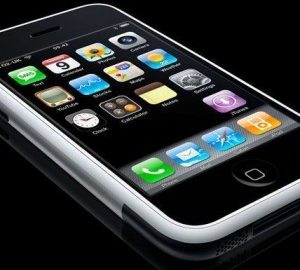
At least once a week we hear an iPhone rumour, ranging from new updates, faults, releases and Apple news in general where the devices name is uttered as an afterthought. Now however, it seems that the latest rumours may hold water.
On the 2nd of July, Apple filed patents for what seem like very interesting features for the iPhone. With the 3G S barely onto the market as it is, it seems like Apple is thinking ahead already.
These patents filed revolve around the fingerprint idea and how a touch screen recognizes them. This could be used for security reasons (which would make an iPhone pretty darn secure) and also for basic control of the device. For example, a touch with the little finger may be preset to bring you back to the homepage while the middle finger could launch the internet browser.
All this seems very complex and as such is unlikely to make an appearance to the market for a few years as apple don’t want to over complicate what it already a very revolutionary device. Still, it’s good to know that the Smartphone market will still be alive and competitive two years down the line.
Reuters reports that ten top mobile phone manufacturers, including Apple, have agreed to adopt the Micro-USB connector standard for smartphone chargers in the European Union. The shift, planned to begin next year, will allow smartphones from the companies, which control 90% of the market, to use the same charging cables. Apple currently uses a proprietary dock connector compatible with both the iPhone and iPod touch.
The chargers will be usable only for data-enabled phones, which have more capability than just standard calls and SMS texts. Data-enabled phones are expected to account for almost half of all new mobile handset purchases in 2010.
The Commission hopes that as people discard their old handsets, within three to four years all data-enabled phones in Europe will be using standardized chargers.
The plan also calls for new phones to be sold with Micro-USB chargers for a period of time before ultimately selling phones and chargers separately in order to allow customers who already own chargers to continue using their existing ones. While the agreement extends only to European phones, it is expected that the standard will make its way into phones around the world as companies attempt to keep their design and manufacturing costs streamlined.
Last Friday I treated myself to a new 17″ MacBook Pro (that’s a story for another post though!) One thing that always puts me off is as soon as I buy one a new one comes out, so I thought I would be safe buying a couple of weeks after the WWDC when it was upgraded. Of course the other big news at the WWDC was the upcoming official release of OS X 10.6 Snow Leopard due to be released in September.
It made me think, do I have to pay the full price to upgrade my OS even though it’s not far away and I’ve just spent a small fortune in the Apple store?
So a bit of poking around on the Apple website came up with an interesting page (one I might add that is not well linked to!)
UK – http://www.apple.com/uk/macosx/uptodate/
US – http://www.apple.com/macosx/uptodate/
So the deal is simple if you bought a new Mac on or after June 8th you get a special upgrade price! $9.95 USD and £7.95 GBP (gotta love Apples currency conversions!) You have to claim within 60 days of purchase and before December 26th 2009 but it seems well worth it.
You can apply at the above links pay by credit/debit card and it will be shipped upon release. Makes a nice change for Apple to do something nice seeing as they charged me £20 to buy a Mini-Display Port to DVI adaptor!!!!
One of the most anticipated features in the recent release of iPhone OS 3.0 was the inclusion of push notifications. Apple’s comprimise to not allowing background apps, I think most, myself included, were skeptical at how this would turn out. Well a few days after the OS was officially launched applications started appearing having been updated to take advantage of this new feature.
Tap Tap Revenge was first, however I want to skip past that and move on to 2 apps which will possibly benefit the most from push notifications. AIM andBeeJiveIM.
AIM
Now with Push Notification, AIM® lets you stay even more connected with the people you care about right on your iPhone or iPod Touch. Communicate whenever you want, wherever you are. Connect with friends and family and keep track of status, location, and presence updates in real time
AIM comes in two different flavours: the free, ad support version and the paid, ad free version for $9.99. Now i’m not a big AIM user so I tool the free version for a test drive and with the notable lack of landscape mode in the free version, there wasn’t much of a difference the sponsor ads never got in the way as is often found in ad supported apps which totally winds me up!
The main issue with AIM is the user interface, it just felt a bit small?! It was hard to read the messages and the navigational menus weren’t asintuitive as they really should have been, but on the flip side the push notifications did exactly what they said on the tin! AIM keeps you signed in forupto 24 hours after exiting the app (you can set the timeout in the prefs , if you can find them!). Should you receive an IM whilst out of the program you get the nice little pop up similar to the text message alert. Although it did show a preview of the IM which I couldn’t find a way of switching off unlike you can with text messages.
Unfortunately for me I know one person who actually uses AIM so after a few messages to them I was bored, now I’m not sure how popular AIM really is for me MSN/Live messenger has always been the IM of choice, which brings us very nicely onto the next app!
BeeJiveIM
Stay connected to all your instant messaging buddies anywhere you go! BeejiveIM (pronounced \bē-hīv\ IM) keeps you in touch with your friends on AIM®/MobileMe®, MSN®/Windows Live®, Yahoo!®, GoogleTalk®, Facebook, MySpace, ICQ® and Jabber… all at the same time, all on your iPhone or iPod Touch.
Like the old saying goes, you get what you pay for! And I have to say this is worth every penny! For only $9.99 this app really does do it’s developers proud. With support for multiple IM protocols and multiple simultaneous accounts this was one of the most impressive things I have seen come out of the App Store since iPint (haha).
It has a really lovely UI fully in keeping with the iPhone OS and has full support for landscape mode which is nice, the chat screen is similar to the iPhone own messaging app although feels like you have a bit more space. I was moving around town shopping and the app seemed to cope rather well dipping from 3G to EDGE to public WiFi and when it did loose connection a handy popup on the screen told me about it.
This I would say is definitely the app to go for if you are looking for a comprehensive IM client for iPhone, and the push notifications seem to be really working! The true test will be if the Apple systems can cope with millions of pointless apps all using push notifcations in the future. The only thing I did notice was a slight decrease in battery life which I mention, but am not entirely sure if is related.
Conclusion?
Is there really one? Push notifications work there is no doubt, but going past IM clients what else can be done with them? I’m holding out for a better push email system, yeah I like my mobile me account but I want push on all my mail! Let’s have a nice Blackberry App for iPhone! Then we will really see what push on the iPhone really can do!
Apple WWDC 2009 conference has finished, but if you didnt get a chance to attend like me, then you can still watch the keynote over at the Apple site.

Wanting to find out where you can see what is happening over at WWDC Conference? Well over at Engadget they are blogging live, so make sure you head over and check it out!

There has been a lot of talk this morning about Apple producing a Tablet computer by 2010. Business Week’s Peter Burrows recently received word of Apple’s plans to build a tablet-based device, to be released in 2010. Now Gene Munster,of reputable investment bank and securities firm Piper Jaffray, has published a note reinforcing the plans.
“We expect Apple to fill the gap between the iPod touch and the MacBook with a new tablet device (not a netbook) priced at about $500-$700. Apple will likely leverage its multi-touch patents to differentiate its product from the typical netbook. We are anticipating a new category of Apple products with an operating system more robust than the iPhone’s but optimized for multi-touch, unlike Mac OS X. The device’s OS could bear a close resemblance to Apple’s mobile OS and run App Store apps, or it could be a modified version of Mac OS X.
As the App Store is currently in record profits and a new iPhone release on the way there is no rush for Apple to release a tablet computer. Of course it aims to fill the market between the iPhone and Macbook, but I cant see this device replacing a computer any time soon.
Apple hits 1 Billion downloads from their App Store! Since launching the App store on the 27 th June last year, Apple has been making big waves with their iPhone and iPod Touch products. Apple currently pays 70% of all revenues from the App store to developers. Thus, if there was an average of $0.50 per download, then Apple would be $150m richer and App developers $350m richer.

There are so many financial applications for the iPhone and iPod Touch already, but how do you know which ones are actually worth using? Mint has put together a great list of the top 10 Financial applications everyone should use, so I thought I would post our top 5 and then let you head over to Mint to see the rest.

Bloomberg Mobile (Free)
Bloomberg
Wall Street Traders swear by the Bloomberg Terminal to analyze real-time financial market data, place trades, and get news and price quotes. Bloomberg Mobile isn’t quite the same thing but it is a beautifully designed app that provides up-to-the-minute news, stock quotes, company descriptions, and price chart and market trend analysis. The My Stocks feature is a more detailed replacement for Apple’s stock Stocks app. And Bloomberg Mobile takes full advantage of the iPhone’s position sensor by providing larger charts when you rotate the phone to a horizontal position.

Mobile Banking (Free)
Bank of America
Bank of America’s iPhone app, Mobile Banking is little more than a wrapper around its existing mobile site (which isn’t optimized for the iPhone) but if this is your bank you’ll still find it useful. You can use it to check available balances, pay bills, and transfer funds on-the-go 24/7. Its best feature is its ability to find the nearest ATM and Banking Center locations using the GPS in the iPhone, something that isn’t possible with the mobile site. BofA’s Online Banking Guarantee is its assurance that you won’t be responsible for any unauthorized transactions and it uses advanced encryption technology to prevent unauthorized access to your accounts and to protect your online identity.

PayPal (Free)
PayPal
In Japan many have thrown away their wallets in favor of paying for everything from train tickets to beer from a vending machine with their mobile phones. We’re not quite there yet but the PayPal app provides a tantalizing glimpse at this future. It provides complete access to your PayPal account allowing you to check your balances and send money to your friends and family, all from your iPhone. It supports 16 currencies and is secured by your existing PIN or password. It’s a good start but I’d like to see it go further. Missing is any way of displaying your transaction history and I’d also like to see it use the notification indicator on the app icon to show when money has arrived in your account.
![]()